Monday, October 30, 2017

Sunday, October 29, 2017
Week #7 Creativity and Photo Stories
Reflections on Creativity and Making Photo Stories

Creativity
This week I learned what it means to be truly creative in a society that molds us to think a certain way from the time we are children. From grade school, we are trained for standard professions like factory work and teaching by sitting quietly for 7-8 hours 5 days per week and reiterating what is written in textbooks and on chalkboards. We are encouraged to pay attention to subjects that do not interest us, trained to answer questions and complete assignments exactly the way instructors tell us to, and taught that the most intelligent among us are those who get the highest marks on standardized tests.
After listening to Sir Ken Robinson speak about creativity I thought about how important it is for people to pursue what brings them happiness and not live in fear of making mistakes. People are most productive when they are doing what they love and some of the best inventions were created on accident by people who did what they were passionate about without fear of failure. http://list25.com/25-accidental-inventions-that-changed-the-world/
While thinking about what it means to be creative, and how people tend to be more productive when doing the activities they enjoy the most, I found an interesting TED Talk on the concept of flow. Flow is a mental state characterized by complete immersion and focus on an activity that is being performed with great precision.
While I believe dedication to activities that bring us joy and a sense of purpose are important for mental well being, I also believe that taking a step outside of one's comfort zone and trying new things are also an extremely important part of being creative. This Multimedia Apps and Tools class has played a major role in enhancing my own creativity recently because it has forced me to use online apps to create and publicize unique videos, audio, and images- something I never would have had the confidence to do on my own. Since I've always wanted to start an online business or have a popular blog, I'm hoping that one day I'll be skilled enough to be in a state of "flow" while creating online content and that I'll be creative enough to make something that people will want to look at.
Making my Photo Story
Speaking of trying new things, I got to make my first photo story in WeVideo this week. To get a good idea of how images can be ordered and manipulated to create a captivating story, I looked through the stories on The Boston Globe. After looking at several stories on natural disasters, war, and pollution, I decided that my favorite photo story was the one on the graduates of 2017 because it was the most uplifting and inspiring. The photos were incredibly inclusive and full of people from all walks of life. They gave me the feeling that even in my current circumstances, I will be able to get my degree.
After deciding that I like uplifting photo stories the most, I chose to use images of myself enjoying time spent with my fiance and my best friend at the Great Escape. After some technical difficulties, I was able to create an account with Google Plus and create a video in the F17 Photo Stories folder. Following along with the video tutorial, I added my photos in an order that showed how I spent my day at the park. I also incorporated a festive title and an old film countdown, as well as upbeat music entitled "Chasing the Dream" from WeVideo's audio selection. After adding page flip transitions, a spooky sound effect, and a fade out to my music, my photo story was complete.
After deciding that I like uplifting photo stories the most, I chose to use images of myself enjoying time spent with my fiance and my best friend at the Great Escape. After some technical difficulties, I was able to create an account with Google Plus and create a video in the F17 Photo Stories folder. Following along with the video tutorial, I added my photos in an order that showed how I spent my day at the park. I also incorporated a festive title and an old film countdown, as well as upbeat music entitled "Chasing the Dream" from WeVideo's audio selection. After adding page flip transitions, a spooky sound effect, and a fade out to my music, my photo story was complete.
Tuesday, October 17, 2017
Week # 6 Blog on Audio Recording and Video Hosting
Reflections on YouTube, SoundCloud, and Free Online Audio

Exploring YouTube
This week I took advantage of the opportunity to explore YouTube's privacy features more than I ever have before. I was amazed at YouTube's capabilities, and though I have always been more of a video viewer than a creator, I was a little embarrassed that I have been using YouTube for 8 years without fully knowing how it works. So just for fun, and to make myself more media literate, I uploaded my first YouTube video ever which was a video of me playing my favorite game, Fallout 4. Upon doing this I edited my settings so that viewers can rate and comment on the video. Here is my video (contains graphic content) and the link to my channel https://www.youtube.com/user/killerclowns871. Amusingly, the name I gave my channel when I was 13 (after the movie Killer Klowns from Outer Space) stuck around in my channel's url.
I also discovered that I can make uploaded videos private or public and remove ads from my videos. Digging even further, I learned that I can use Google Ads Settings to make it so I'm not targeted with ads based on my browser history. Preventing Google from targeting me with ads will make my future internet browsing feel more enjoyable and less imposing.
I also discovered that I can make uploaded videos private or public and remove ads from my videos. Digging even further, I learned that I can use Google Ads Settings to make it so I'm not targeted with ads based on my browser history. Preventing Google from targeting me with ads will make my future internet browsing feel more enjoyable and less imposing.
Editing Audio in Soundtrap
This week was a week of firsts for me as I also got to make my first ever edited audio recording using Soundtrap. This was a fun assignment for me and I enjoyed all of the different effects, layering and sound cropping that are possible with Soundtrap. I experimented with different volumes for each of my sounds and different effects for my voice such as the resonating "cave" effect and the crisp and clear "clean" effect. After trying many different kinds of music and sounds to blend with the intensity of the poem"The Tyger", I truly learned just how much audio can make or break otherwise compelling content.
Discovering Free Audio
To find the audio for my Soundtrap recording I explored YouTube's audio gallery along with the other copyright free audio sites listed in the assignment for week 6. I found that many of these websites contained music and ambiances rather than actual sound effects, so I sought out a copyright free website where I could find just the audio I was looking for and came across freesound.org. This website contains all kinds of recorded sounds that fall under Creative Commons, and many are free for use with or without attribution.
Sunday, October 15, 2017
Sunday, October 8, 2017
Week # 4 Blog Design and Website Platforms
My New Blog Design and Website

First Impressions
The first thing I did was change the theme and images in my blog because those are the things that viewers will see immediately. I decided on a simple theme: A white text background on a library webpage background. This was because my previous theme and background were too distracting, and unrelated to the blog's message. Next, I made my images smaller so that they fit nicely with the text, without taking attention away from it. After realizing that I had been sizing everything based on my huge 17 inch laptop screen, I also adjusted the width of my blog to make it more compatible with smaller computer screens and mobile devices.Text Content
After fixing the general appearance of my blog, I made sure the font types, sizes, and colors were all uniform in each of my blog posts. I also got rid of the cramped appearance of my text by spacing the lines and paragraphs neatly. Next, I fixed the text size organization in my blog by making headings the largest, followed by subheadings and content. Taking advice from 5 Beginning Blogging Mistakes You Can Fix, I got rid of anything that said "click here", and just kept the links.Layout and Gadgets
To improve ease of access, I followed the design of other attractive blogs and put the search bar and blog archive on the right sidebar. I kept other information viewers might want such as my profile information, number of views, and a link to report abuse in the footer, so that it wouldn't be a distraction.
My Google Site
This part of the assignment proved difficult for me because I am accustomed to using HTML and WordPress to make websites. Once I watched the Google Sites tutorial and played around with the features for a while I was able to make a cool website that I think looks great on mobile devices. Using the tutorial, I gave my homepage a header image with a welcome message, a link to Nasa with a map, a calendar, and links to my other pages. In my other pages I added captioned and clickable images, text content and a video. Here's the link:
Monday, September 25, 2017
Week #3 Blog on Media Literacy and Photo Editing
Media Literacy and Powerful Images
 One thing I noticed about
media literacy is that it increases with time, given that a person continues using
and interacting with media. An example is social media. If one hadn’t been
involved in social media since the early 2000’s he might wonder what had
happened to all of his friends on Myspace and would likely have no idea what a
meme was. This may sound funny, but such a lack of media literacy would likely
make it extremely difficult for a person to interact with others in the modern
world. The same is true of computer software such as Microsoft Office,
anti-malware, and image editors like Adobe Photoshop. If you don’t keep them up
to date and learn about similar programs, they are no longer relevant and likely
will not function properly on certain platforms.
One thing I noticed about
media literacy is that it increases with time, given that a person continues using
and interacting with media. An example is social media. If one hadn’t been
involved in social media since the early 2000’s he might wonder what had
happened to all of his friends on Myspace and would likely have no idea what a
meme was. This may sound funny, but such a lack of media literacy would likely
make it extremely difficult for a person to interact with others in the modern
world. The same is true of computer software such as Microsoft Office,
anti-malware, and image editors like Adobe Photoshop. If you don’t keep them up
to date and learn about similar programs, they are no longer relevant and likely
will not function properly on certain platforms.
After watching the TED Talks video this week, I also learned the importance of using images to get a message across. Despite all of my experience
with media including an Adobe Photoshop class, generating my own memes and
editing my own videos, I never knew about the existence of online photo-editors
until this week. Honestly I found myself dreading the photo editing portion of
this assignment because I am terrible at using Photoshop. Things became even
worse for me after I tried using Pixlr and Photomonkey with no success. I
was starting to become frustrated and think that to do even the most basic things, I would have to
make a purchase.
 That’s when I got lucky and came across Picozu. This web app
can be used both on a computer and a smartphone and allows for free advanced
editing that for the most part, you could only find in Photoshop or Gimp.
Picozu allows you to create unique images with advanced layering features
and I found it quite easy to combine three images into one. By adjusting the
lighting and contrast, and adding text with the app I was actually able to make the
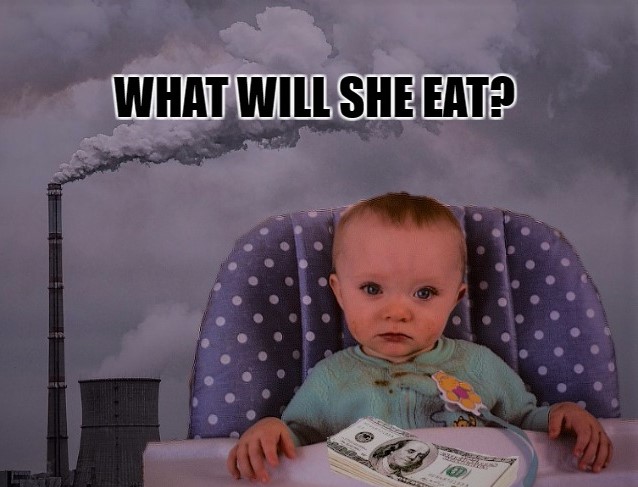
images look like they belonged together and create a powerful message. I found this app far easier to use than Photoshop, and I was relieved at how simple the whole thing wound up being. The
message I created was inspired by the proverb “When the last tree has been cut down, the last fish caught, the last river
poisoned, only then will we realize that one cannot eat money.” I made sure to
give the image a bleak, sad look and worded the text as a question so it would
feel like a call to action. Here is the image I created:
That’s when I got lucky and came across Picozu. This web app
can be used both on a computer and a smartphone and allows for free advanced
editing that for the most part, you could only find in Photoshop or Gimp.
Picozu allows you to create unique images with advanced layering features
and I found it quite easy to combine three images into one. By adjusting the
lighting and contrast, and adding text with the app I was actually able to make the
images look like they belonged together and create a powerful message. I found this app far easier to use than Photoshop, and I was relieved at how simple the whole thing wound up being. The
message I created was inspired by the proverb “When the last tree has been cut down, the last fish caught, the last river
poisoned, only then will we realize that one cannot eat money.” I made sure to
give the image a bleak, sad look and worded the text as a question so it would
feel like a call to action. Here is the image I created:



Sunday, September 17, 2017
Week #2 Copyright and Fair Use
Reflections on Copyright and Fair Use
Copyright ©
Definition: Copyright is the right that the creator of a work has to protect their work for a limited period of time.
Rights:Copyright holders have the right sell, redistribute,and publicly perform and display their works (Copyright Basics, n.d.).
 |
| Image retrieved from Wikimedia Commons |
Copyright laws can be very complicated and they are still developing. Some of these developments result from new loop hools and interesting trial outcomes. One example is the picture shown to the right. Since the monkey took its own picture, the image was determined not to be subject to copyright and now falls under public domain.
 |
| Image retrieved from Flickr |
Definition:
According to Stanford University Libraries "Fair use is the right to use portions of copyrighted materials without permission for purposes of education, commentary, or parody." (Stim, Rich, n.d.).
Details
Fair use protects the rights of the public by ensuring that they are free to express their thoughts and ideas on works as well as have access to facts. Fair use allows people to transform works and add new meaning and expression to them. A Wierd Al Yankovic song parody, a posting of a work for comparison or criticism, and the use of a portion of a work for educational purposes are all examples of fair use.
The Four Factors of Fair Use
Since fair use is situational, the four factors of fair use are helpful in determining whether or not it is legal to use a copyrighted work without permission. The four factors of fair use are
- The Purpose and Character for which the work will be used
- The Nature of the Work to be used
- The Amount of Work that will be used
- The Market Effect the use will have on the work
If the work will be used for education, not for profit, for personal use, or in a small, insignificant quantity, there's a good chance that it falls under fair use (Copyright Basics, n.d.).
Deciding If a Situation is Fair Use
Find Reliable Information
 |
| Image retrieved from Flickr |
I also found that if I am confused about what qualifies as fair use that there is a limitless abundance of resources that can be referred to for answers. There are many websites that provide real life scenarios as well as court cases pertaining to fair use.
A couple of of these sites are http://fairuse.stanford.edu/overview/fair-use/cases/ and http://scholarspace.jccc.edu/cgi/viewcontent.cgi?article=1063&context=c2c_sidlit .
A couple of of these sites are http://fairuse.stanford.edu/overview/fair-use/cases/ and http://scholarspace.jccc.edu/cgi/viewcontent.cgi?article=1063&context=c2c_sidlit .
Evaluate the Risks and Consider the Four Factors
Through reading Purdue University and looking up fair use scenarios I also learned the importance of making sure that more than two out of the four fair use factors are covered before determining that the use of a work is fair. I gave an example in the class discussion forum about a situation where only having two of four factors covered could get someone into trouble. If it is too difficult to determine whether something is fair use or not using the four factors, it is safest to use public domain media or ask for permission.
Real Life Applications
For this class, the entirety of my academic career, and in future careers I will be encountering situations where I need to provide photos, videos, and examples from articles, books and websites. It will be my responsibility to ensure that any photos, videos and articles I use are consistent with fair use, and that nothing I use violates copyright laws. One such situation I faced was in a Website Development class I took. In that class I had to write the HTML and CSS for my own website on environmental issues and it had to be complete with photos, videos, and text content. When making this website I was sure to use only public domain information, videos and photos to avoid any unnecessary issues. At http://guides.library.harvard.edu/c.php?g=310751&p=2072820 links are provided to great public domain video and audio websites. Here's an example clip from UnRoyalty.com
What I'm Still Foggy About
 |
| Image retrieved from Pixabay |
For example, in my Website Development class I learned to copyright my webpages. If I create a website,get licensing agreements to use someone else's work,and I've referenced many articles for the content on my website do I own my website's code and design or or do I own the collective content in it?
Another thing I don't understand is the selling and gifting of copyrights. If someone decides to give their copyright to someone else does the copyright apply to 70 years after the new owners death,and could the selling and gifting of a copyright potentially go on forever? What are the limitations?
I also don't fully understand the copyright laws surrounding parodies. While I'm aware that parodies fall under fair use, is it possible for someone like Wierd Al Yankovic to copyright his parodies?
Works Cited
“Posting Copyrighted Materials Online.” Indiana University, 17 Jan. 2017, kb.iu.edu/d/arit. Accessed 16 Sept. 2017.
Stim, Rich. “Copyright and Fair Use.” Stanford University Libraries,
fairuse.stanford.edu/overview/academic-and-educational-permissions/non-coursepack/. Accessed 16 Sept. 2017.Works Cited
“Posting Copyrighted Materials Online.” Indiana University, 17 Jan. 2017, kb.iu.edu/d/arit. Accessed 16 Sept. 2017.
Stim, Rich. “Copyright and Fair Use.” Stanford University Libraries,
“Copyright Basics.” Purdue University, www.lib.purdue.edu/uco/CopyrightBasics/basics.html#1. Accessed 16 Sept. 2017.
“Copyright Basics.” Purdue University, www.lib.purdue.edu/uco/CopyrightBasics/fair_use.html. Accessed 16 Sept. 2017.
Thursday, September 14, 2017
Week #1 Multimedia and Website Applications
What is Multimedia and What are
Web Applications?
Multimedia 🎮🖻🔊
Here are a few things that I learned about multimedia from reading https://en.wikipedia.org/wiki/Multimedia as well as other sites that are linked to this blog:
It Communicates📣
Multimedia reaches us in many different ways such as through audio (music, voice recording), video, photos, animations, and haptic technology.
It Is Interactive🖰
We can become participants in the multimedia experience instead of just watching it. This is true for video games, simulations, virtual reality, and animations. Personal computers (PCs) are also a type of interactive multimedia. As I type this text and insert links, videos, and symbols into this blog using my touch pad and keyboard, I am interacting with multimedia.
It Is Everywhere🌎
From our office computers, to our game consoles, smartphones, and even our cars, we are surrounded by multimedia in the modern world.
It Is Educational 🕮

Thanks to multimedia on the internet and in classrooms, students and teachers now have access to an abundance of learning and teaching aids. Animations, tutorials, and video lectures on educator websites allow students to review content several times and at their own pace. This reduces the stress and difficulty that can come with having to take voice recordings and carefully scrawl down notes during a lecture that can only be heard once.
Smartboards are an example of multimedia in the classroom that allows teachers to spend more time facing and interacting with students, and less time with their backs turned to chalkboards. Smartboards also make learning more fun and interactive by allowing students and teachers to use touch features and easily set up presentations.
In my own experience, multimedia in education has been invaluable by reducing the inconveniences and time constraints I have faced from having to work full time while attending college. Because multimedia has come so far, I can now take interactive Biology Lab classes through an application called SimuText that allows me to meet my course requirements online without having to physically be in a laboratory.
Retrieved from https://www.youtube.com/watch?v=aoPm7oTV4uY
It Is Everywhere🌎
From our office computers, to our game consoles, smartphones, and even our cars, we are surrounded by multimedia in the modern world.
It Is Educational 🕮

Thanks to multimedia on the internet and in classrooms, students and teachers now have access to an abundance of learning and teaching aids. Animations, tutorials, and video lectures on educator websites allow students to review content several times and at their own pace. This reduces the stress and difficulty that can come with having to take voice recordings and carefully scrawl down notes during a lecture that can only be heard once.
Smartboards are an example of multimedia in the classroom that allows teachers to spend more time facing and interacting with students, and less time with their backs turned to chalkboards. Smartboards also make learning more fun and interactive by allowing students and teachers to use touch features and easily set up presentations.
In my own experience, multimedia in education has been invaluable by reducing the inconveniences and time constraints I have faced from having to work full time while attending college. Because multimedia has come so far, I can now take interactive Biology Lab classes through an application called SimuText that allows me to meet my course requirements online without having to physically be in a laboratory.
Retrieved from https://www.youtube.com/watch?v=aoPm7oTV4uY
Web Applications

Here's what I learned after reading http://web.appstorm.net/general/opinion/what-is-a-web-app-heres-our-definition/ and https://en.wikipedia.org/wiki/Application_software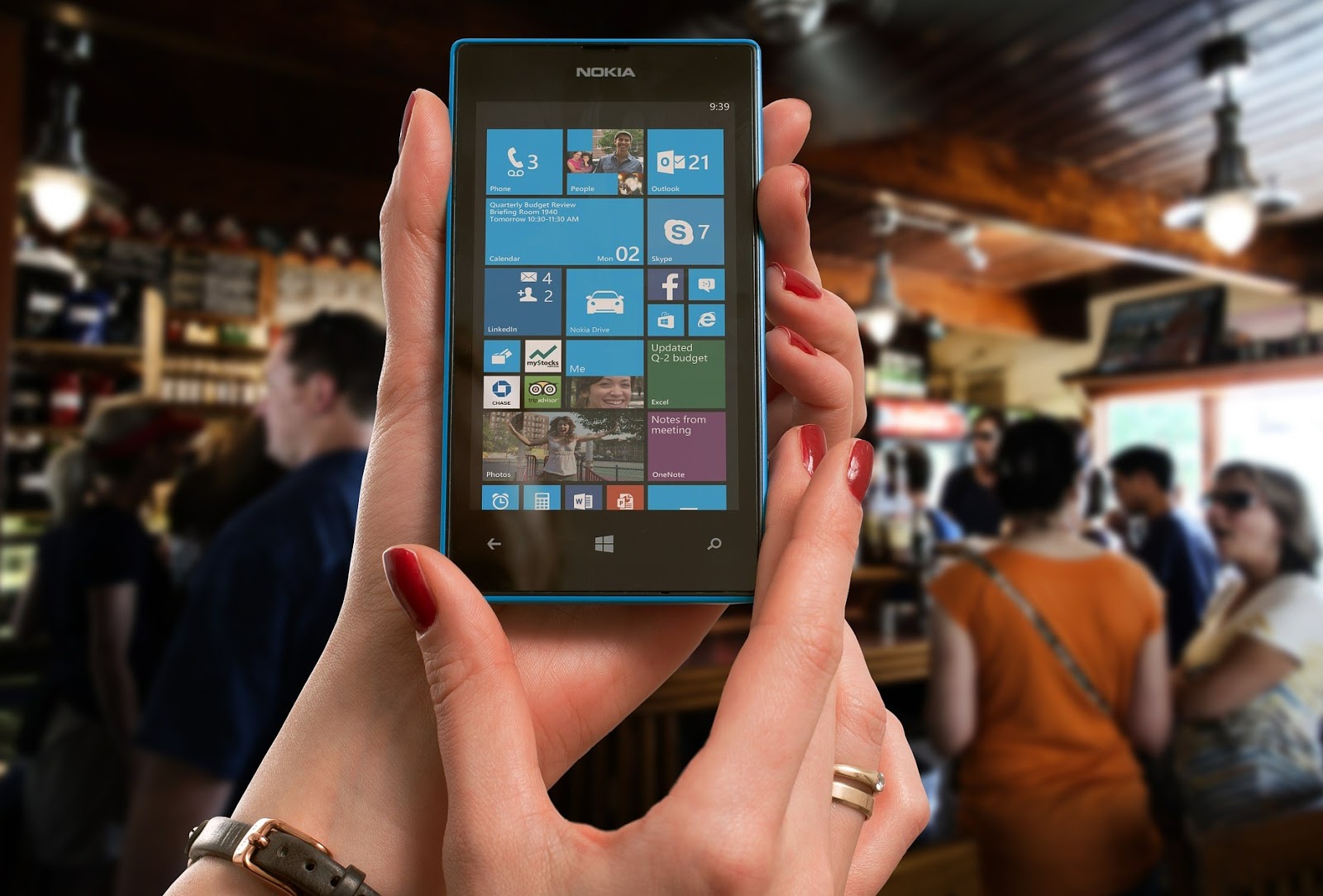
What Are Web Applications?
Web applications use multimedia to help users perform tasks. These tasks include, but are not limited to banking, buying and selling products, making designs, and organizing or searching for information. As long as the software aids the user in doing a task, it is an application.
What Are They Used For?
Many people have a variety of web apps on computers and smart phones that are used on a daily basis to make life more convenient. These might include apps used for banking, insurance, buying and selling products, and navigating to destinations. Web applications may also be used for education (as noted in the SimuText example) as well as for entertainment, gaming,and even performing basic searches. These applications can be found in online stores such as Google Play or Amazon and are designed to be compatible with certain operating systems. Many applications are also compatible with multiple platforms such as smartphones, PCs, and game consoles.
The Takeaway
 Since I was born in the 90's, I grew up right as cellphones and the internet became highly interactive. I use my smartphone, laptop, office computer, and television for at least ten hours every day, five days per week. I also spend a great deal of time on Facebook and YouTube watching and sharing all kinds of audio and visual content,and my entire education has revolved around online learning. From social connections, to convenience, news, and entertainment, I have reaped the benefits of multimedia and web apps for almost my entire life.
My takeaway is that multimedia and web apps are an extremely important part of the human experience, and they are in a state of constant growth. There are billions of people throughout the world at any given time using, creating, and interacting with multimedia on smartphones, game consoles and computers. Multimedia and web apps are used at home, at work, and even during commutes for business, hobbies, learning, viewing the latest breaking news stories, and communicating with friends and family. They have a huge impact on education, the economy, and society as a whole.
Subscribe to:
Posts (Atom)